
A comfortable workspace is not created by filling a desk with attractive accessories. It begins with understanding the work you do, the equipment you use, and the small problems that make it harder to concentrate throughout the day.
The most useful cozy home office finds bring warmth and personality into the room while supporting an actual need. A lamp can improve visibility. A laptop stand can help position a screen more appropriately. A desk organizer can give frequently used objects a defined home. Even a favorite mug can create a natural reason to pause between tasks.
This guide focuses on a limited selection of practical pieces rather than an entire matching office collection. We have not personally tested every product featured, so each recommendation includes details to verify on the current listing before purchasing.
Affiliate disclosure: This article contains affiliate links. If you purchase through one of these links, NewMorning may earn a commission at no additional cost to you. Products are selected through editorial research and their relevance to this guide. Prices, availability, materials, dimensions, compatibility, and return conditions may change. As an Amazon Associate I earn from qualifying purchases. Read our Affiliate Disclosure and Editorial Policy for more information.
Begin With the Work You Actually Do
Before changing your workspace, observe how you currently use it. Do you work primarily from a laptop? Do you need room for paperwork, drawing materials, or a second monitor? Is the desk used for several activities, or can it remain dedicated to work?
The answers matter more than any decorating trend. Someone working in a bedroom corner may need a surface that folds away. Someone who changes between a computer, tablet, and phone may value a multi-device keyboard. A person who handles documents may need accessible storage, while a mostly digital routine may require very little.
Start by identifying the most persistent source of discomfort or disorder. Improve that first. A cozy home office should make everyday work easier, not introduce another collection of objects to manage.
Build the Workstation Before Decorating It
A warm lamp and a beautiful notebook cannot compensate for an uncomfortable workstation. Begin with the relationship between the chair, desk, keyboard, and screen.
The Occupational Safety and Health Administration recommends keeping the head and neck aligned with the torso, shoulders relaxed, wrists in line with the forearms, and feet supported. The monitor should normally be directly in front of the user, with its top at or slightly below eye level. You can review OSHA’s complete computer workstation guidance before purchasing additional equipment.
No single product guarantees an ergonomic setup. Body dimensions, desk height, chair adjustment, screen size, vision, and working habits all affect what feels comfortable. If persistent pain or discomfort develops, seek advice from an appropriate healthcare or ergonomics professional.
A Compact Desk for a Small Workspace
A dedicated work surface can help create a boundary between professional tasks and the rest of home life. In a small room, however, a traditional desk may occupy more space than the routine justifies.
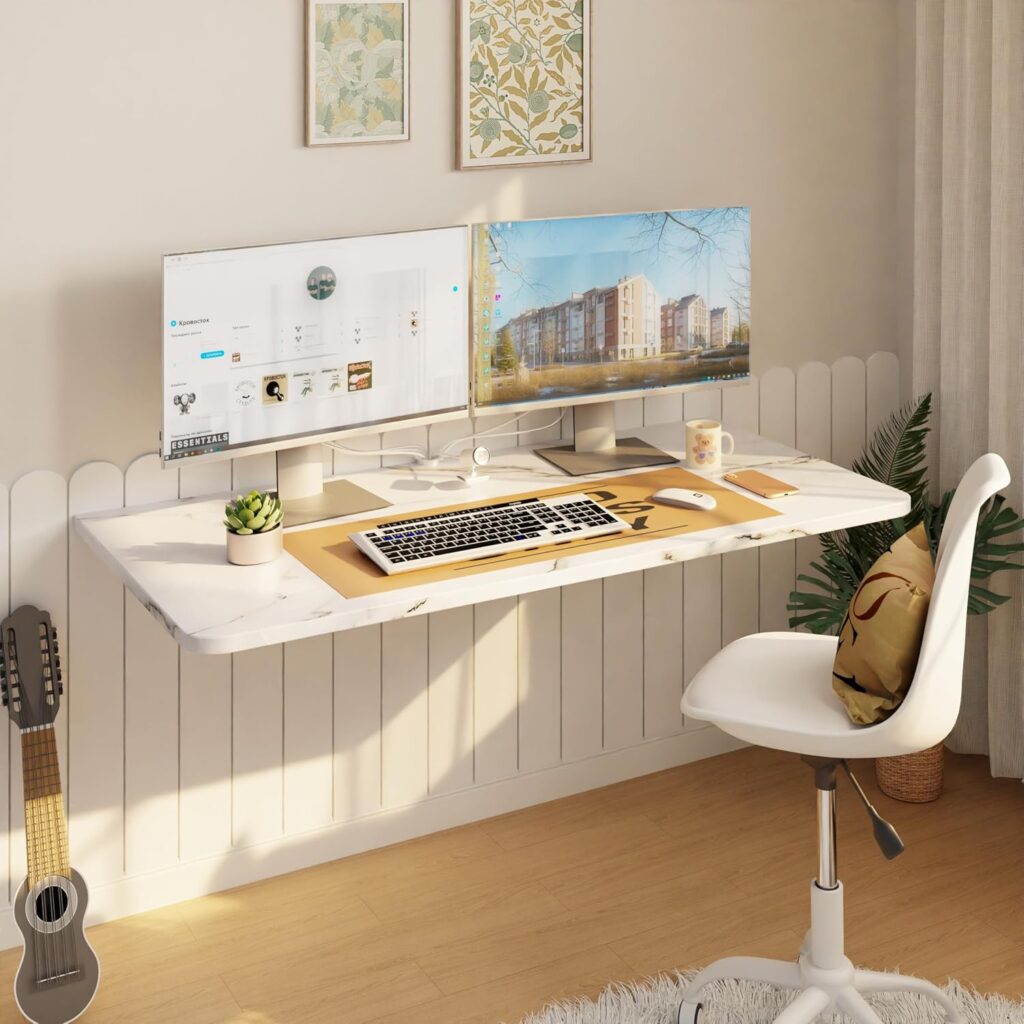
Wall-Mounted Folding Desk
A folding desk can provide a temporary working surface without permanently occupying valuable floor space.
Best for: Small apartments, multipurpose rooms, and occasional laptop work.
Why it works: The surface can be folded away when the workday ends, helping the room return to its other uses.
What to check: Confirm the complete dimensions in both open and folded positions. Review the mounting hardware, wall requirements, installation instructions, stated weight capacity, surface depth, and space needed for your knees. A high weight rating does not replace correct installation into a suitable wall structure.
View the Wall-Mounted Folding Desk on Amazon (affiliate link)
Measure the proposed location before ordering. Use removable tape to mark the desk’s width, depth, and height on the wall and floor. This simple test can reveal whether the surface will interfere with a door, chair, walkway, or nearby furniture.
Use Lighting for Visibility, Not Only Atmosphere
Warm lighting can make a home office feel calmer, but a task lamp must still provide enough light for reading, writing, and other detailed work. The objective is comfortable visibility rather than creating the darkest or warmest possible room.
Position the lamp so that it does not create a bright reflection on the screen. OSHA recommends arranging windows, overhead lights, and desk lamps to minimize glare, since excessive light and reflections can make the screen harder to see and encourage awkward working positions.
Adjustable Task Lamp
An adjustable lamp can provide focused illumination while allowing the direction, brightness, and color temperature to change throughout the day.
Best for: Desks used for computer work, reading, handwriting, or crafts.
Why it works: Adjustable settings make it easier to adapt the light to different tasks instead of relying exclusively on overhead lighting.
What to check: Review the lamp dimensions, base size, range of movement, brightness settings, color temperatures, controls, power connection, and warranty. Confirm that the arm remains stable in the intended position and that the base fits without reducing necessary working space.
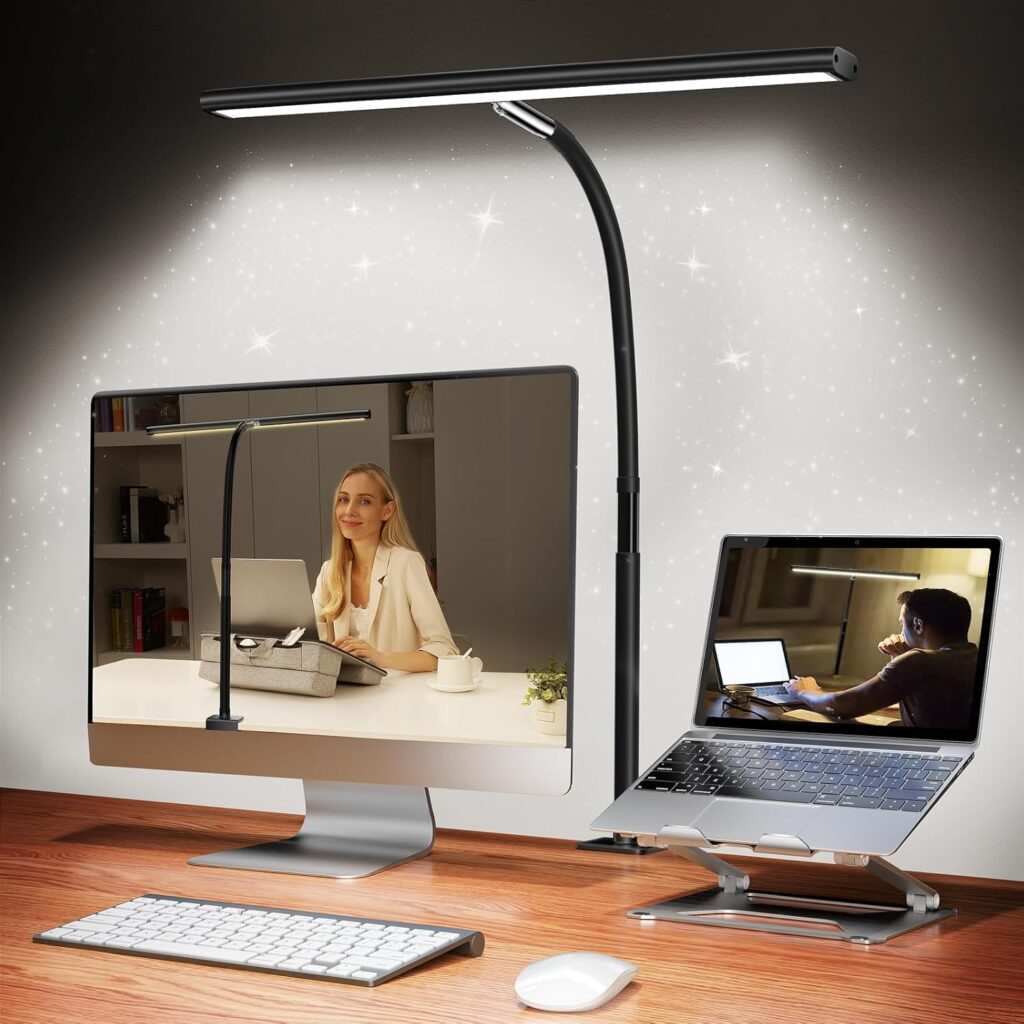
Test several positions rather than assuming that the lamp belongs in a particular corner. Right-handed writers may prefer the light arriving from the left, while left-handed writers may prefer the opposite arrangement to reduce shadows across the page.
Create a Defined Working Surface
A desk mat can visually group a keyboard, mouse, and notebook while protecting the surface beneath them. It may also soften contact with a hard desk edge, although it should not be used as a substitute for appropriate desk and chair positioning.
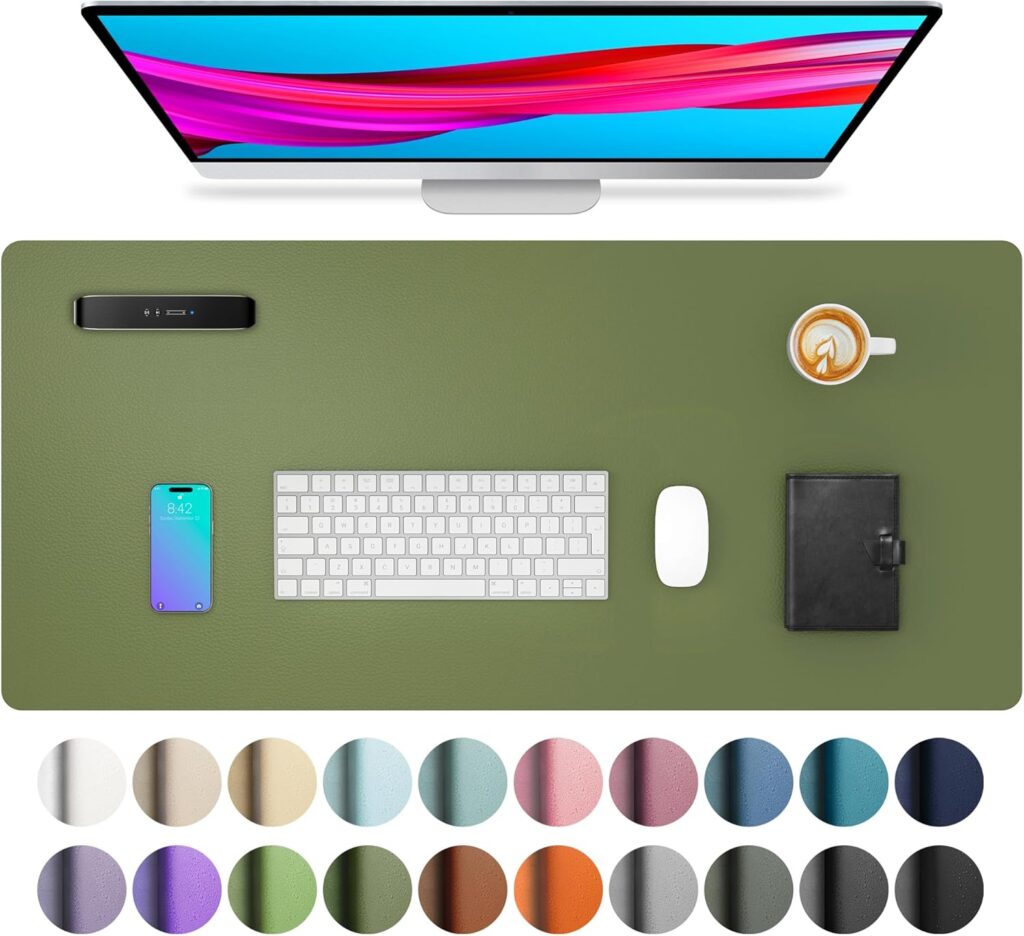
Neutral Faux-Leather Desk Mat
A simple desk mat can make frequently used equipment feel like one organized working area rather than several unrelated objects.
Best for: Protecting a desk beneath a keyboard, mouse, and everyday writing materials.
Why it works: Its restrained color and broad surface create visual continuity without becoming the main decorative feature.
What to check: Compare its width and depth with the usable desk surface. Review the backing, edge finish, material, cleaning instructions, heat limitations, and recent comments about curling or sliding. Confirm that your mouse works reliably on the surface.
Raise a Laptop Without Creating Another Problem
A laptop combines the screen and keyboard into one device. Raising the screen can improve its position, but it also raises the built-in keyboard. For longer work sessions, a stand is generally more practical when paired with a separate keyboard and mouse.
OSHA advises placing the screen directly in front of the user and generally between 20 and 40 inches—or approximately 50 to 100 centimeters—from the eyes, depending on screen size, text size, and individual comfort. The top of the screen should normally be at or slightly below eye level.
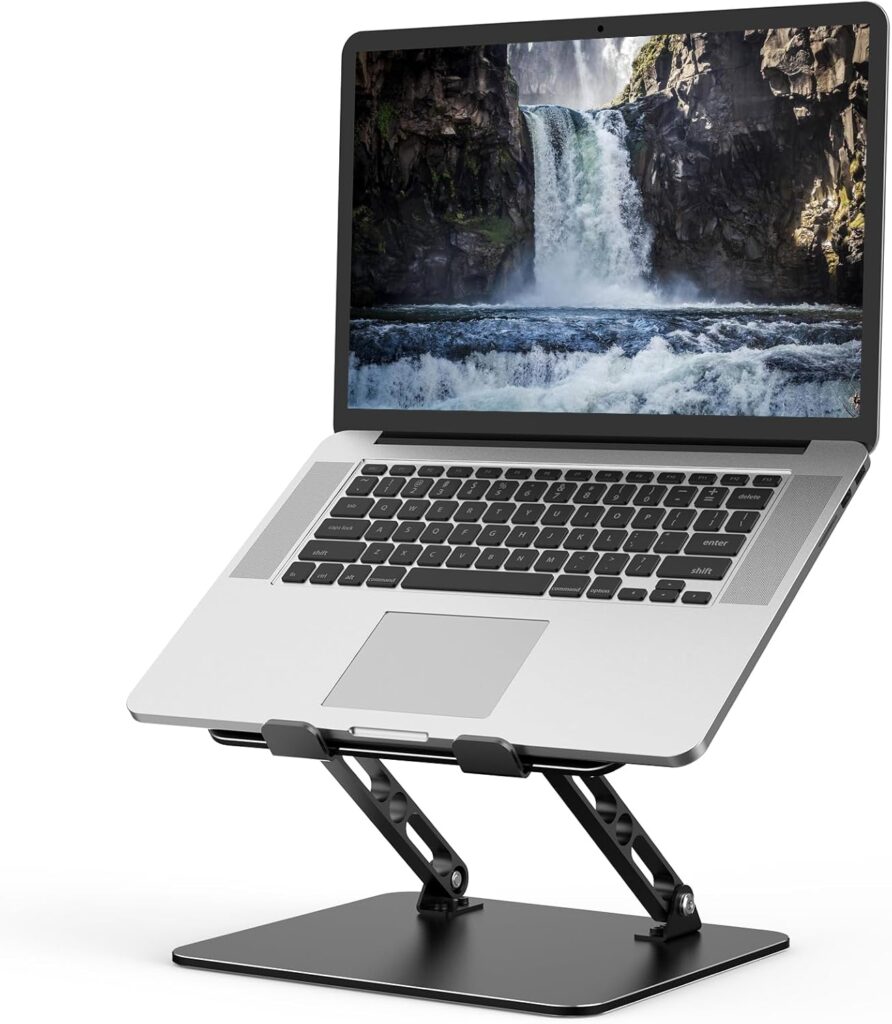
Adjustable Metal Laptop Stand
An adjustable stand can help position a laptop screen while keeping the device above the main working surface.
Best for: Laptop users who already have—or plan to use—a separate keyboard and mouse.
Why it works: Its adjustable height and angle provide more flexibility than a fixed riser.
What to check: Confirm device compatibility, maximum weight, adjustment range, stability, ventilation openings, rubber contact points, and the amount of force required to change the angle. Make sure the stand does not block important laptop ports.
Choose Technology Around Daily Use
A keyboard should be selected for compatibility, layout, comfort, and typing preferences—not simply because its color matches the room. Compact models can free desk space, but removing the number pad or certain keys may be inconvenient for financial, administrative, or data-entry work.
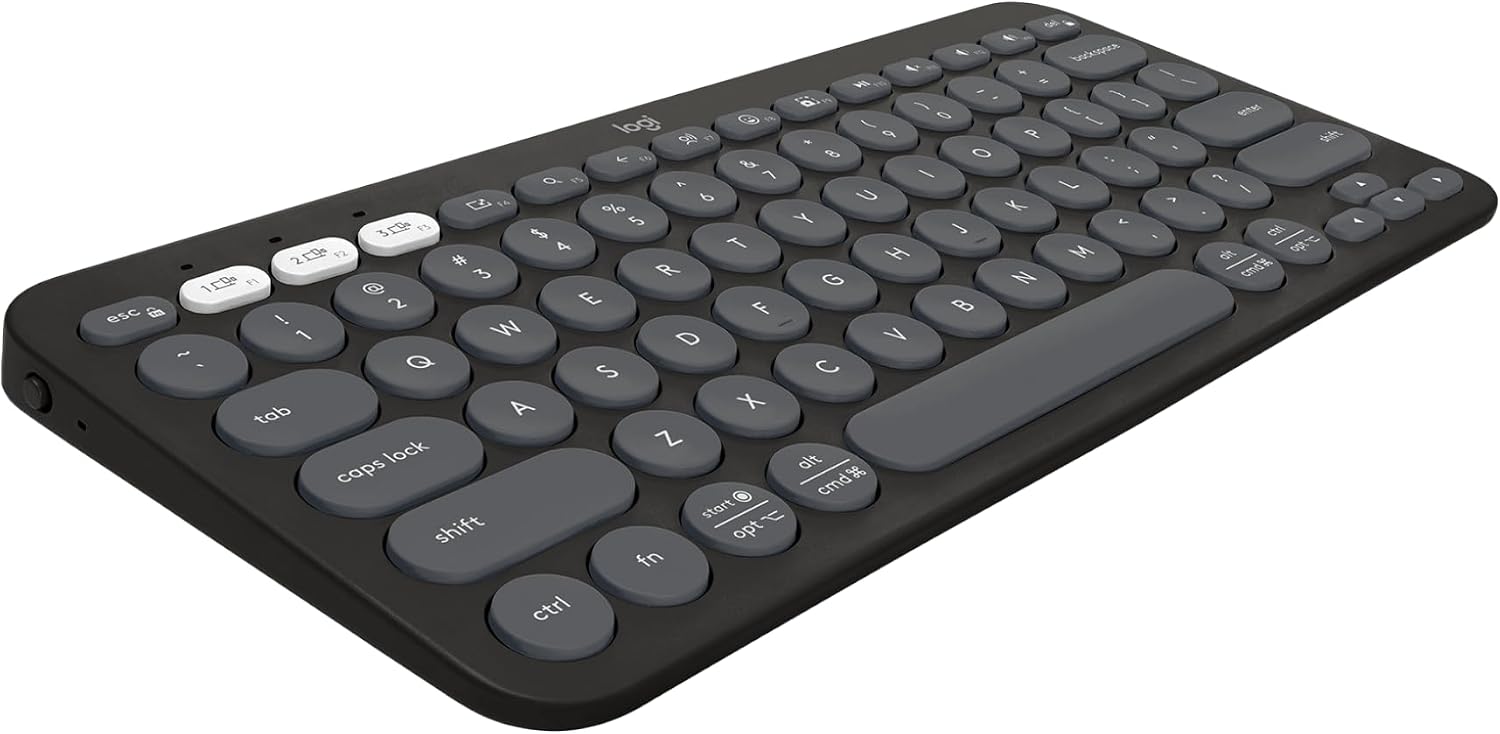
Multi-Device Wireless Keyboard
A compact wireless keyboard can reduce cable clutter and make it easier to change between compatible devices.
Best for: People who alternate between a computer, tablet, or phone and do not require a dedicated number pad.
Why it works: Its smaller footprint leaves more room for a mouse, notebook, or other frequently used materials.
What to check: Verify compatibility with your operating system and devices. Review the keyboard language and layout, connection method, battery type, device-switching process, key spacing, shortcut support, and whether a receiver is included or required.
Keep the keyboard and mouse close enough that your upper arms can remain near your body. The CDC’s National Institute for Occupational Safety and Health recommends keeping the wrists as close to neutral as possible and avoiding unpadded, sharp desk edges beneath the forearms. Read its working-from-home guidance for additional information.
Keep Analog Thinking Within Reach
A notebook can provide a simple place for temporary notes, daily priorities, sketches, or ideas that do not need another digital application. It does not require a complicated productivity method to be useful.
A5 Lined Notebook
An A5 notebook is compact enough to remain beside a keyboard while still offering room for planning and handwritten notes.
Best for: Daily task lists, meeting notes, project ideas, and end-of-day planning.
Why it works: It creates one consistent location for information that might otherwise be scattered across loose paper.
What to check: Review the page dimensions, line spacing, total page count, paper weight, binding, cover material, numbered-page format, and whether the pages lie sufficiently flat for the way you write.

Use the notebook for a defined purpose before purchasing a planner, journal, and several additional formats. One regularly used notebook provides more value than a collection waiting for the perfect occasion.
Organize Only What Needs to Remain Visible
Desk organization is most effective after unnecessary objects have been removed. An organizer should hold items used frequently enough to justify occupying the working surface.
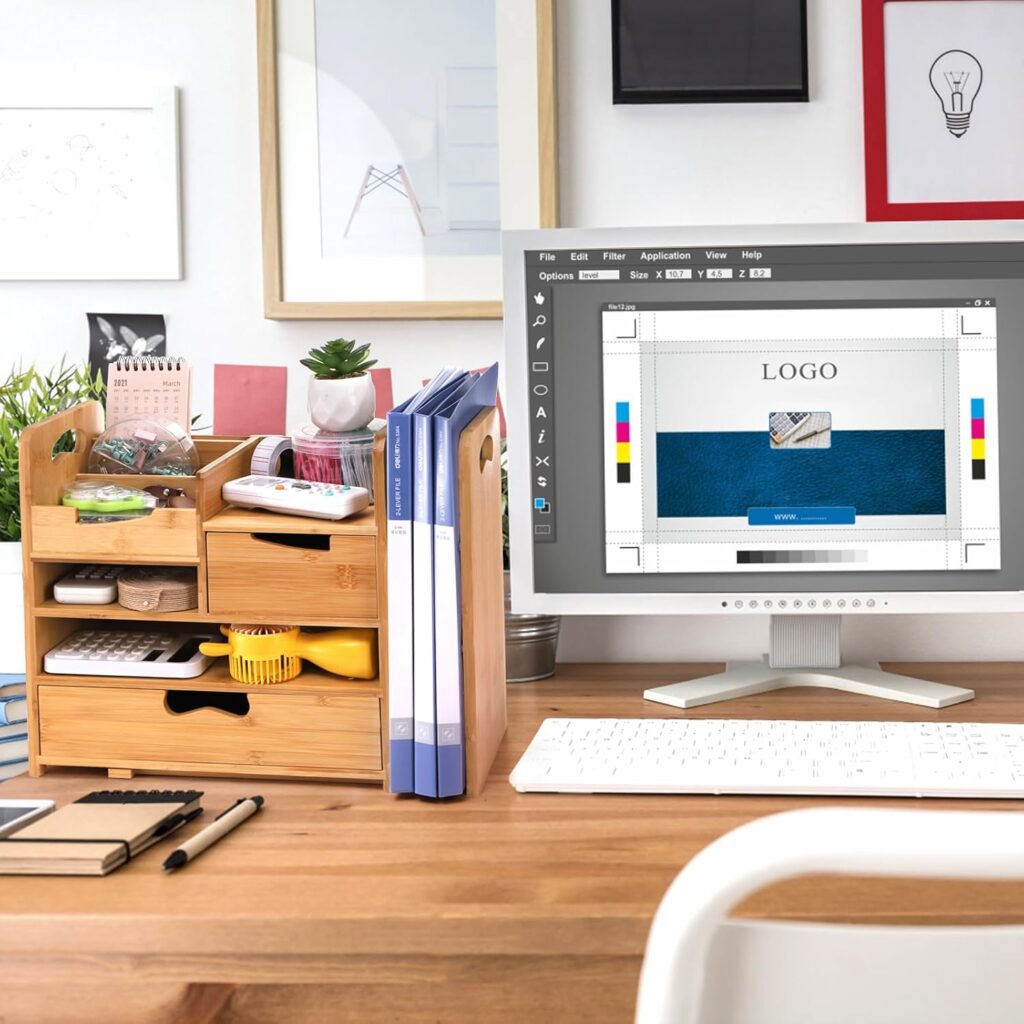
Bamboo Desk Organizer
A divided organizer can provide defined locations for notebooks, mail, pens, and other small supplies used during the week.
Best for: Work involving paperwork, stationery, receipts, or several small tools.
Why it works: Vertical compartments use less surface area than several separate trays and containers.
What to check: Compare the complete dimensions with the desk and the items it needs to hold. Review the drawer depth, compartment widths, assembly requirements, finish, stability, and whether the organizer arrives fully assembled.
Empty the organizer occasionally. Containers can hide clutter as easily as they can control it. Supplies that are rarely used can remain inside a drawer or cabinet rather than occupying the immediate workspace.
Leave Room for One Personal Ritual
A workspace should not feel like a display untouched by daily life. One familiar object can make the area feel personal without interfering with the work itself. For many people, that object is the cup used during the first part of the day.
Handmade-Style Ceramic Mug
A textured ceramic mug introduces color and a tactile material into a workspace otherwise dominated by screens and electronics.
Best for: Coffee, tea, or another drink that already forms part of the workday.
Why it works: It supports an existing routine and gives the desk one personal object with a practical purpose.
What to check: Confirm its capacity, dimensions, weight, handle size, glaze variation, and suitability for your dishwasher or microwave. Place drinks away from computers, power strips, documents, and the edge of the desk.

What to Check Before Ordering Home Office Products
Home office products are often photographed in large rooms or shown without clear scale. Before ordering, review:
- The exact width, depth, height, and weight of the product.
- The usable dimensions rather than only its external measurements.
- Compatibility with your laptop, operating system, devices, and existing furniture.
- Installation requirements and compatible wall or desk materials.
- Electrical information, charging connections, batteries, and warranty coverage.
- Complete materials rather than broad descriptions such as wood, leather, or metal.
- Recent customer photographs and comments about durability.
- Shipping estimates and current return conditions.
- Whether the affiliate link still opens the exact product described.
Measure the space twice and consider how the product will affect movement, cables, windows, doors, and access to electrical outlets. An attractive object that interrupts the way the room functions will not make the office more comfortable.
Create a Workspace That Supports Everyday Life
The most useful cozy home office finds are not necessarily the most decorative ones. They are the pieces that solve a real problem while allowing the room to feel connected to the rest of your home.
Begin with the physical workstation. Adjust the chair, desk, screen, keyboard, mouse, and lighting before adding accessories. Keep the tools used every day nearby, store occasional supplies elsewhere, and leave enough open surface for the work itself.
A home office can be practical without feeling cold and personal without becoming cluttered. The goal is not to create a perfect setup in one afternoon. It is to shape a workspace gradually as you learn what supports your attention, comfort, and daily responsibilities.
Reader Reflection
What creates the most difficulty in your current workspace: limited room, uncomfortable screen placement, poor lighting, visible clutter, or equipment that does not fit the way you work?
Start with that problem. One useful improvement can change the workday more than an entire collection of matching accessories.
Continue the Journey
- Gentle Productivity: Explore a more sustainable approach to focus, progress, and everyday responsibilities.
- Soft Minimal Home: Create calmer rooms through warmth, function, and fewer unnecessary objects.
- Analog Lifestyle: Find practical ways to introduce more tactile and offline moments into everyday life.
- Cozy Living Room Ideas: Extend the same balance of comfort and function into a shared living space.